




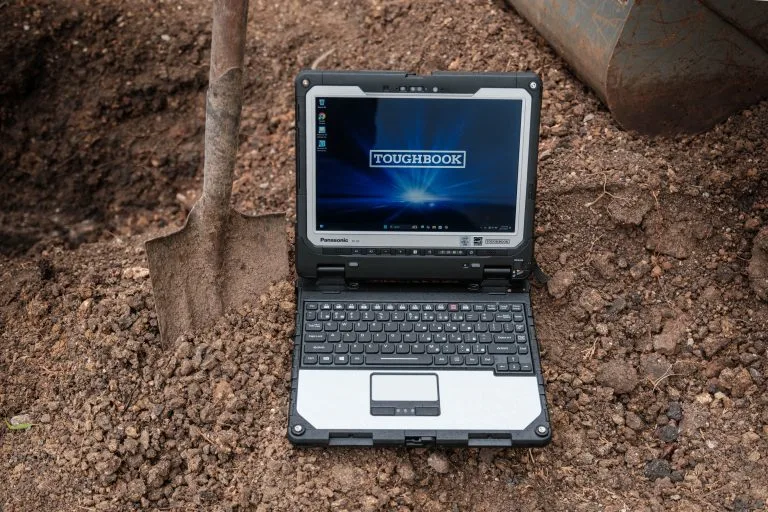
Field teams rarely work under the predictable conditions found in an office. Their computers may travel in service vehicles, operate near machinery, move between indoor and outdoor locations, and support long shifts away from wall outlets. The panasonic toughbook 55 rugged laptop addresses these realities with a semi-rugged build and a modular design that allows organizations to configure the device around different roles. This approach can help buyers balance durability, mobility, performance, and cost without automatically moving to a heavier fully rugged computer.
Why Does Modular Design Matter in the Field?
Most conventional laptops have a fixed set of ports and internal components. If working requirements change, an organization may need adapters, external accessories, or an entirely different machine. These additions can make deployment harder, particularly when a fleet includes several job roles.
The TOUGHBOOK 55 was designed with expansion areas that accept modular packs, commonly called xPAKs. Depending on the configuration and generation, these modules can support added ports, authentication hardware, dedicated graphics, a second storage drive, or other functions.
That flexibility has practical value. A utility inspector may need cellular connectivity and extended battery support, while an automotive technician may prioritize additional ports and storage. A supervisor could require stronger graphics for mapping or technical drawings. IT teams can start with a suitable base configuration and select hardware according to the work rather than issuing identical systems to every employee.
How Does It Support Mobile Work?
Durability is only one part of field usability. Workers also need to see the screen, hear calls, enter information, and stay powered throughout a shift.
The 14-inch display supports diagnostic programs, forms, maps, manuals, and office software. Certain configurations offer a high-brightness touchscreen intended to remain readable in strong outdoor light. Buyers should confirm the display and touch capabilities of the exact unit under consideration.
Field technicians may communicate with remote specialists while standing near engines, tools, or production equipment. The laptop’s speakers and multi-microphone arrangement support work where ordinary notebook audio may be difficult to hear.
Battery planning is another reason organizations consider the FZ-55. It supports an optional second battery, and compatible configurations allow battery changes without shutting down the computer. This can reduce interruptions during extended inspections, emergency response, utility work, or multi-stop service routes. Actual runtime will depend on the battery setup, display settings, applications, wireless use, and the condition of the batteries.
Which Work Environments Are a Good Match?
The TOUGHBOOK 55 sits between a standard business notebook and a fully rugged laptop. It is well suited to mixed environments where equipment faces frequent transport, vibration, minor drops, dust, or occasional moisture, but does not require continuous operation in extreme weather.
Potential users include:
- Field service and maintenance technicians
- Utility and telecommunications crews
- Public safety and vehicle-based personnel
- Warehouse and manufacturing supervisors
- Automotive diagnostic professionals
- Construction managers and site inspectors
A fully rugged model may be more appropriate when a device will face heavy rain, blowing dust, repeated drops, or severe temperatures. Conversely, an ordinary business laptop may be adequate when use is limited to offices and occasional travel. The correct category should be based on documented working conditions rather than a general preference for maximum protection.
What Should Buyers Check Before Ordering?
Configuration matters as much as the model name. Organizations should begin by listing the software, ports, accessories, mounting equipment, security requirements, and wireless networks used by each team. Processor generation, memory, storage, operating system, touchscreen support, and cellular hardware should all be checked against the intended applications.
Buyers should also consider existing vehicle docks and power adapters. Panasonic originally designed the FZ-55 with compatibility for certain earlier TOUGHBOOK accessories, which may help organizations retain parts of an existing installation. Compatibility must still be confirmed for each dock, adapter, antenna connection, and laptop configuration before purchase.
Finally, compare warranty coverage, repair support, parts availability, and the physical condition of the unit. These factors are especially important when choosing between new and refurbished equipment. A lower purchase price may not deliver a lower ownership cost if batteries, storage, or accessories need immediate replacement.
Choose the Configuration, Not Just the Model
The TOUGHBOOK 55 can be a strong fit for organizations that need more protection than a standard notebook while retaining a manageable weight and familiar laptop format. Its modular structure is most useful when buyers connect each component to a genuine job requirement. That means reviewing the environment, applications, shift length, mounting needs, and service plan before placing an order.
For assistance comparing FZ-55 configurations, accessories, and purchasing options, visit Tough Rugged Laptops. Explore the available systems or contact the company to identify a field-ready computer that fits your workforce, equipment, and budget.